
Requirement
Own 140 different named titles on the same account. This is your collection of unlocked titles, not 140 equip actions, character levels or repeated awards of one title.
Unlock and equip it
- Use the Titles directory to choose available title requirements and complete them until you own 140 distinct titles. Keep the titles in your collection; you do not hand them over or spend them.
- In the Second Sea, enter the Café in Kingdom of Rose. Go to the left side and collect the silver chest that covers the basement opening. Climb down the ladder; Titles Specialist (Axiore) is straight ahead.
- Alternatively, in the Third Sea, enter the Floating Turtle Mansion through its front entrance and look to the right for Titles Specialist.
- Talk to Titles Specialist and open the Titles tab. Choose one of your unlocked titles and equip it so you have a label to recolor.
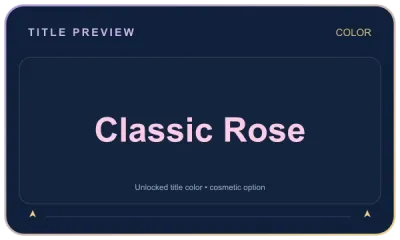
- Open the Color tab/options, find Classic Rose, and select its available equip/apply control. If it remains locked, check that you actually own 140 different titles, rather than counting repeated actions or colors.
- Check your equipped title’s text after applying Classic Rose. Selecting this color does not unlock a new named title.
Cost
Free to unlock and equip after owning 140 distinct titles. There is no Money, Fragment or Robux color fee, and your owned titles are not consumed. Individual title quests can have their own equipment or currency requirements.
What it does: Applies the Classic Rose cosmetic text color to your equipped title’s adjustable color. This changes appearance only and grants no combat stats.
Related title colors
See all 15 title colors and their thresholds, or return to the Titles directory for named-title acquisition guides. The next collection milestone is Aquamarine at 160 distinct titles.
Sources and appearance credits
- Titles — revision 447019 (checked 2026-11-16).
- Template:Title Color — revision 350327 (checked 2026-11-16).
- Titles Specialist — revision 451611 (checked 2026-11-16).
The owned-title thresholds and automatic Default/White options follow the pinned main title list. Template:Title Color supplies the named presentation colors. Default has no single fixed color in that template: it restores the selected title’s own default text color. Title colors are cosmetic options, separate from acquiring named titles and from Aura colors.
The site’s labeled color previews are recreated text references, not claimed in-game screenshots. Wiki contributions are subject to the Fandom licensing terms; game assets remain the property of their respective owners.