
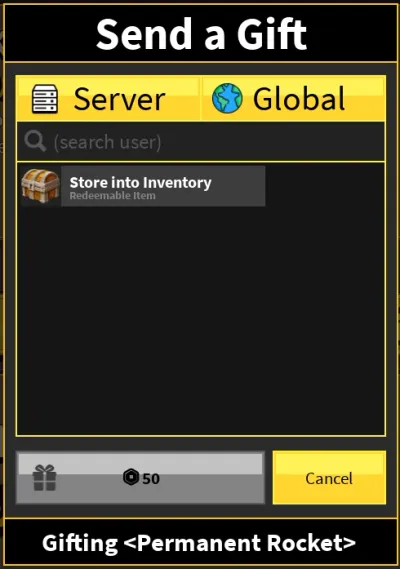
Send the intended product
- Open the product’s normal Shop or permanent-fruit purchase menu.
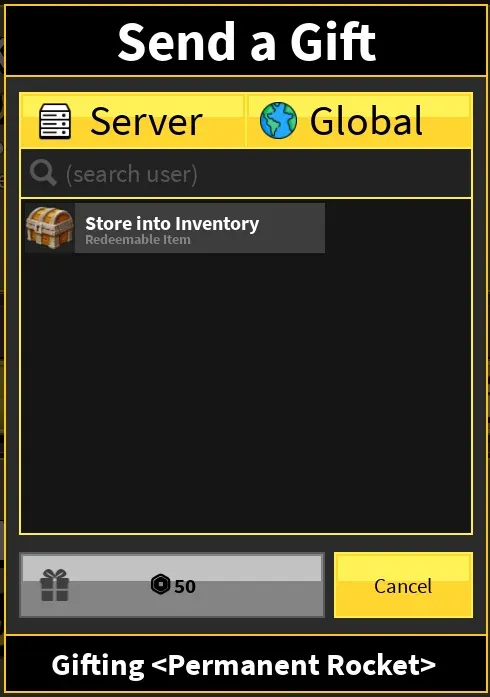
- Choose its Gift option and inspect the Send a Gift window.
- Use Server for a player in your server, or Global to search for a recipient outside it. Check the account carefully before selecting it.
- Read the product name at the bottom of the gifting window and the final Robux price. Add an optional message if offered.
- Confirm only after checking both the recipient and the product. Gifting costs the sender the same listed Robux price as buying that product for themselves.
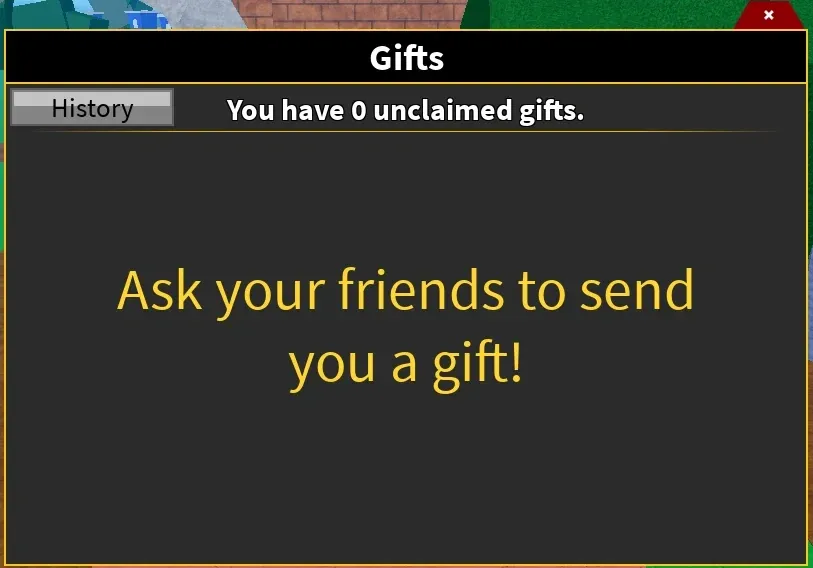
Receive or store a gift
Open the game’s Gifts menu to inspect incoming gifts and their claim state. The updated system supports a receive menu and gift history. Read the claim prompt before redeeming a permanent fruit: the gifting source describes a gifted fruit being equipped, so it can replace the fruit currently in use.
For an eligible tradeable stored product, the gifting window includes Store into Inventory. This route is different from sending it directly to a player or buying an instantly redeemed product. Respawn Bosses and Change Race are excluded from the normal stored-gamepass route.
A gifted permanent fruit is permanent ownership, not a physical fruit you picked up from the ground. Check Trading for eligible stored products and trade restrictions.
Cost
The product’s displayed Robux price, paid by the sender. Gifting does not make the product free for the purchasing account.
What it does: Sends an eligible paid product to a chosen account or stores an eligible product for later use/trading. The product and redemption route determine what the recipient receives.
Sources & image credits
Sources and image credits
Checked November 17, 2026 against pinned Blox Fruits Wiki revisions: Gifting, Shop.
Actual game NPCs, locations and interfaces by Blox Fruits Wiki contributors: File:Gifting new.png, File:Gift receive menu.png. Images were resized without enlargement and converted to WebP, preserving source content and aspect ratio. Animated NPC sources use a representative original frame. Source metadata, original and output hashes are recorded in the gameplay-systems research manifest.

