
Trading uses the in-game tables in the Second and Third Seas. You exchange eligible stored fruits and products through the trade window; dealer Money prices and player-agreed trading values are different things.
Requirements
- Reach Second Sea or Third Sea. There is no First Sea trading table route.
- Have eligible items stored in Inventory, and enough capacity to receive the other side’s fruits.
- Use unredeemed stored products for gamepasses or permanent fruits. A redeemed permanent unlock is not an item you can remove from your account and offer again.
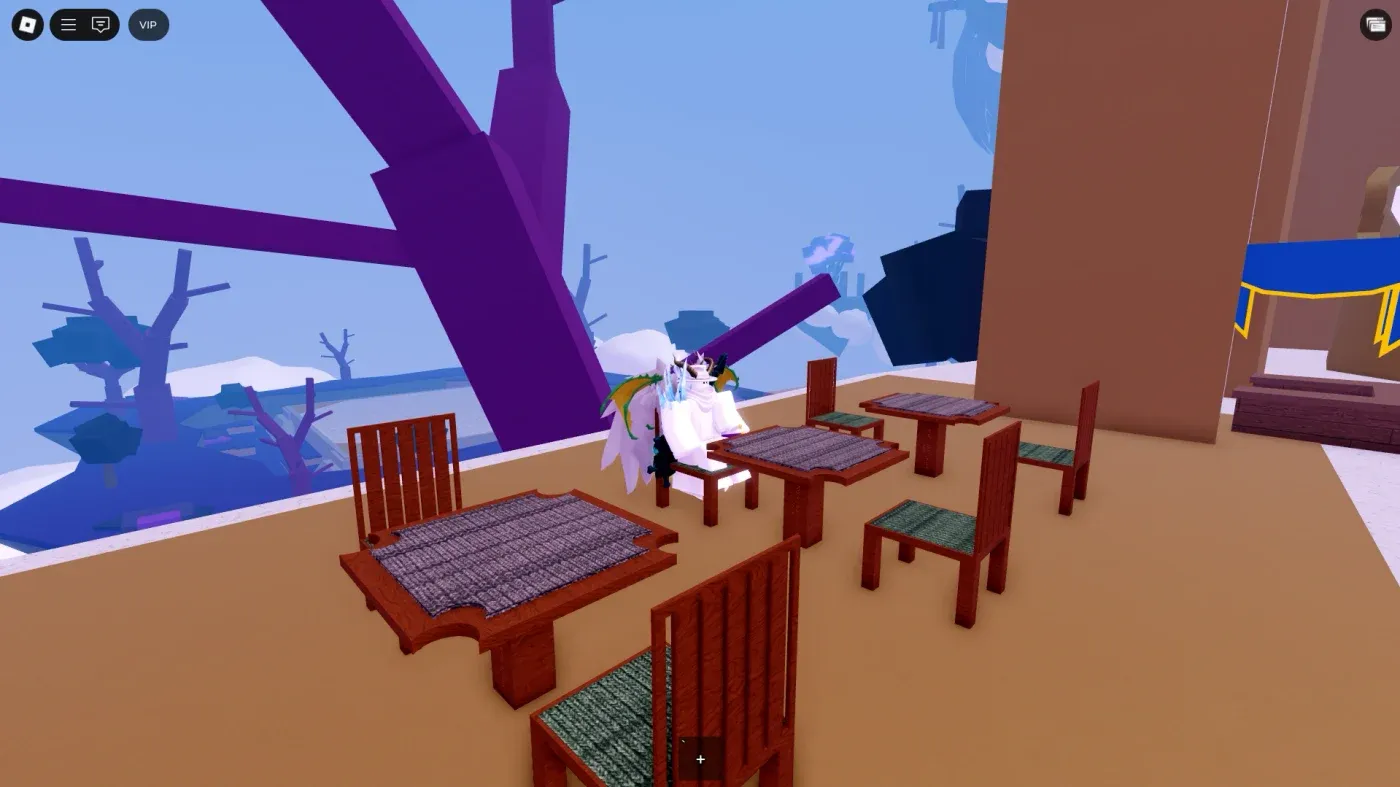
Step 1: Meet at a real trading table
- Go to the Café in Kingdom of Rose, Second Sea, or the Mansion on Floating Turtle, Third Sea.
- Sit on one side of a trading table and have the other player sit opposite you.
- Wait for the Treasure Trade window. If it does not open, check seats and the account’s current trade limit/cooldown.
Step 2: Build an eligible offer
- Select up to four items on your side from the stored items shown in the window.
- Read the other side’s exact item names and forms: physical fruit, permanent product and a similarly themed cosmetic are different offers.
- Check the displayed value difference. Ordinary fruit-only offers normally need to remain within 40%; stored Robux products can change the window’s allowed difference. Follow its live validation rather than adding up a third-party price list.
- Check duplicate/storage restrictions. Base storage permits one of each physical fruit; Fruit Storage adds capacity. A player cannot receive a permanent fruit or gamepass they already own as a fresh redeemable unlock through this route.
- If a product was bought directly for yourself and redeemed, it is already an account unlock. To offer a product, it must have been purchased through the appropriate gift/storage option and actually appear in the window.
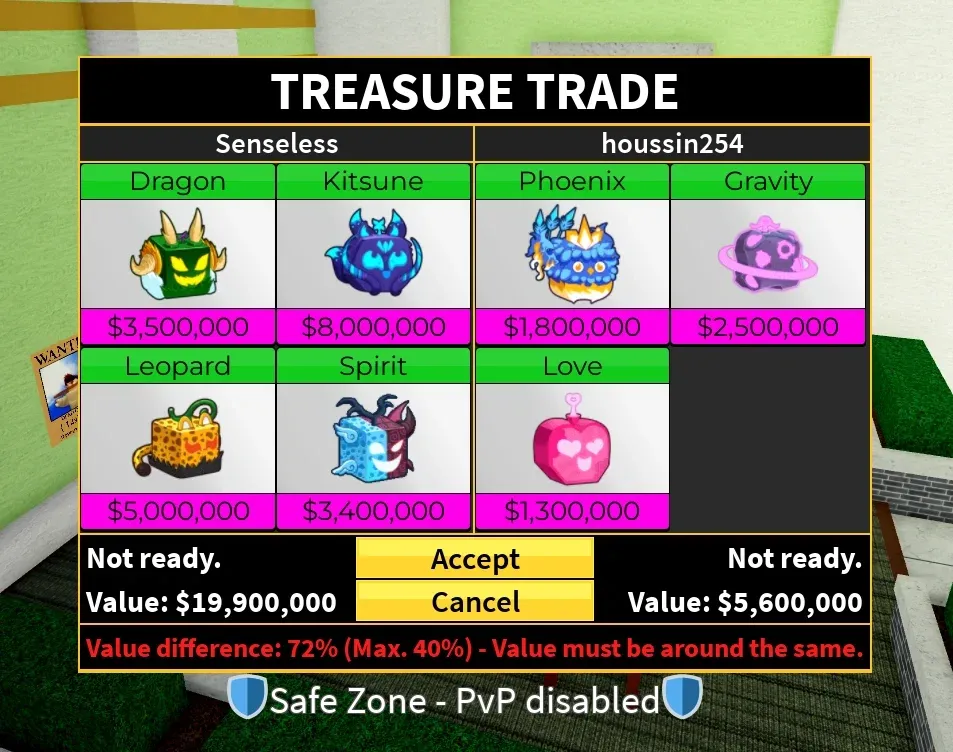
This older screenshot includes older fruit names and a rejected value difference. Use it to identify the interface, then read the current window’s exact names and acceptance state.
Step 3: Confirm and check the result
- Agree only after both complete offers match what you intend to exchange. Review again if either side changes an item.
- Use the window’s acceptance confirmation and let the transaction finish.
- Check Treasure afterward for received physical fruits. Received permanent fruit/gamepass products can activate on the recipient’s account rather than becoming another tradeable stored copy.
- Track the account’s trade counter. The checked article agrees on five completed trades before a limit, but conflicts over its reset schedule; use the live cooldown/counter rather than assuming a particular hour.
Cost
The cost is the exact items you confirm in the trade. No fixed Money/Fragment table fee is listed. Robux products have their own purchase prices; a trade does not turn a dealer’s Money price into an official player-market valuation.
What it does: Exchanges eligible stored items with the other player. It does not trade ordinary materials, equipped abilities, already redeemed unlocks or guarantee that an outside valuation will be accepted by the in-game value rules.
Sources & image credits
Checked November 17, 2026 against pinned revisions: Trading, Inventory.
Actual in-game NPC, interface or location images: File:Sitdowntrade.png, File:PopupmenutradeEN.png — Blox Fruits Wiki file contributors. Images retain the original aspect ratio; animated images use a selected actual frame. Original English prose; source text is available under CC BY-SA, unless a file page states otherwise. Revision pins, image hashes and processing records are preserved in the activity research manifest.

