
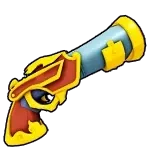
Steps
- Visit the Weapon Dealer’s stand in Middle Town in the First Sea. Use the dealer shown in the Flintlock guide if you need the landmark.
- Talk to the seller, select the exact model and use its examination option. Match the name to the Musket, Slingshot or Flintlock you meant to buy.
- Check the listed price before confirming. Open Inventory to equip the weapon if you decide to purchase it.
Cost
Browsing and examining a weapon is free. You pay the displayed Money price when you buy one.
What it does: The Weapon Dealer lets you see the selected model before using Money on the purchase.
Sources & image credits
Game details: Update 30 weapon preview · Weapon Dealer location.
Cover image: File:Flintlock.png · Blox Fruits Wiki contributors.
