
The built-in Server Browser lets you change public servers and provides shortcuts to seas and Dungeons. Use the in-game menu rather than a webpage promising to unlock later seas.
Requirements
Be in Blox Fruits and wait for the normal game interface to load. A sea-selection button does not replace that sea’s progression requirements. Simulation Hub requires Level 1,100+.

Steps to change servers
- Find Server Browser at the top-right of the screen. On mobile, use the button labeled Servers; some layouts show a round icon rather than a text label.
- Open the list and use its region or name filters to narrow the options.
- Select an available server and use its join option. Wait for the transfer to finish before trying a second one.
- If a server fills before you connect, return to the list and choose another. A listing does not reserve an empty place.
- If the browser fails to load or stops responding, rejoin the game and reopen it. This is a troubleshooting step, rather than a way to preserve temporary carried quest items.
Steps to use sea and dungeon shortcuts
- Open the same Servers interface.
- Use a sea button along the bottom for a sea your account has unlocked. If access is refused, finish the Second Sea or Third Sea progression quest.
- For Dungeons, choose Dungeons to reach Simulation Hub once eligible.
- At the hub, use the Dungeon queue steps with your group. The shortcut reaches the hub; it does not complete a run or supply simulator energy.
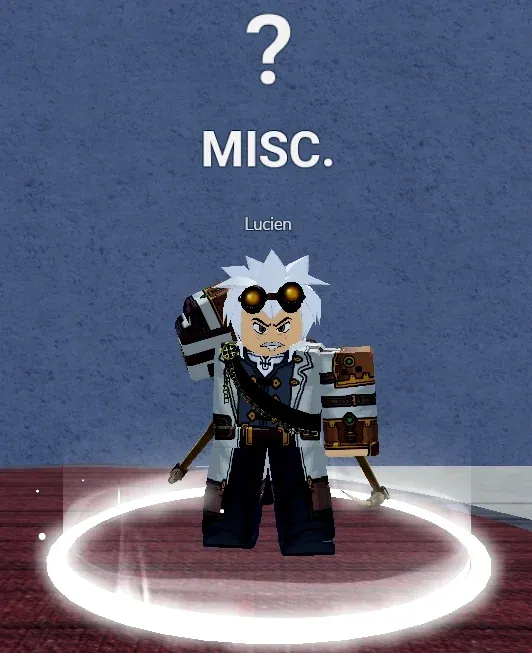
- The alternative entrance is Lucien at Hot and Cold or Castle on the Sea. Talk to his Hub option if you prefer the NPC route.
Cost
No separate Money, Fragment or Robux fee is listed for using the public Server Browser. Dungeon attempts use their own simulator-energy conditions, checked through Lucien and the mode selection. A private-server purchase is a different product.
What it does: Changes your current public server and provides eligible travel shortcuts. It does not grant later-sea access, keep every temporary quest item through a transfer, or bypass a raid, Angler or shop cooldown.
Sources & image credits
Checked November 17, 2026 against pinned revisions: Server Browser, Simulation Hub, Lucien.
Actual in-game NPC, interface or location images: File:Server Browser Icon.png, File:LucienThirdSea.png — Blox Fruits Wiki file contributors. Images retain the original aspect ratio; animated images use a selected actual frame. Original English prose; source text is available under CC BY-SA, unless a file page states otherwise. Revision pins, image hashes and processing records are preserved in the activity research manifest.

