

Lover was a random background reward from the ended Valentines Event 2026. The seasonal Gacha is not an ordinary currently available background purchase.
Cost
The original Valentines Gacha cost 250 Hearts per spin, with a one-hour cooldown separate from ordinary fruit Gacha. No exact background drop percentage or guaranteed total number of spins is established.
What it does: Changes the Player Profile background to Lover. It is cosmetic and does not raise damage, defense, levels or fruit/weapon Mastery.
Acquisition steps
- Check for an actual rerun of the relevant Valentines event before farming; the documented 2026 event has ended.
- In that 2026 event, gather Hearts from event enemy defeats, Cupid’s daily quests or Valentines Delivery. The 2026 version used broader enemy eligibility/damage scaling, so do not apply the older universal±100-level rule.
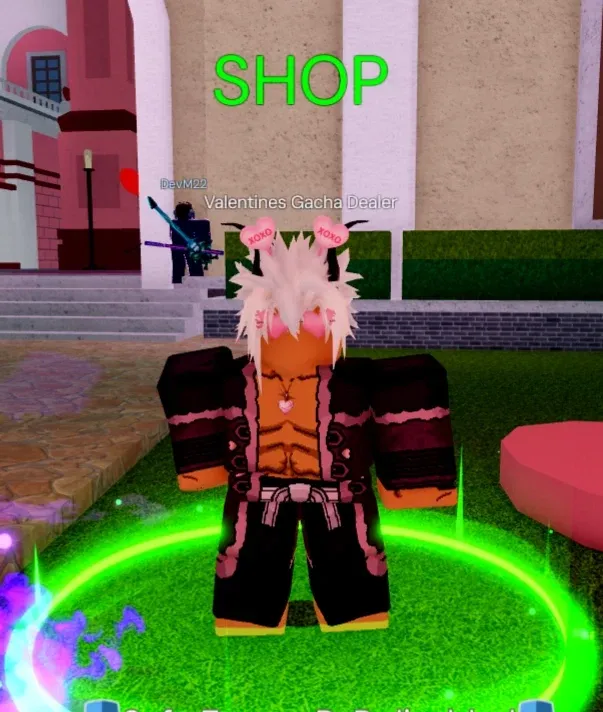
- Visit Valentines Gacha Dealer at Middle Town, Café or Mansion, and select the event Gacha.
- save 250 Hearts, wait for its own one-hour timer, and roll if you accept a random result. This cooldown is separate from regular Blox Fruit Gacha.
- Check for Lover in the result and your owned profile backgrounds. An accessory, fruit or different background is not this unlock.
- Equip it with the profile steps below once owned; an existing Hearts balance does not make the ended event NPC appear.
Equip the background
- Open Player Profile using the button above the compass, beside Home Point.
- Open My Profile/Your Profile, then use your own profile’s editing controls to choose an owned background.
- Select Lover from that owned list and confirm the change. An item shown in somebody else’s profile does not mean your account owns it.
- Reopen your profile to check the selected background. This changes the profile display, rather than your island map or combat loadout.

Actual background artwork

Sources & image credits
Checked November 17, 2026 against pinned Blox Fruits Wiki revisions: Player Profile, Events, Valentines Gacha Dealer, Hearts.
Actual skin models, in-game appearance references, profile artwork and route images: File:Lover Profile Background.png, File:Vlentines Gacha.png, File:PlayerProfilesLocation.png — their Blox Fruits Wiki file contributors. Images retain original content and aspect ratio, with proportional WebP conversion; no generated gameplay images. Original English prose. Source contributions are available under CC BY-SA, unless a file page states otherwise. Source pins, caveats, original-file metadata and SHA-256 records are kept in the cosmetic research manifest.


