
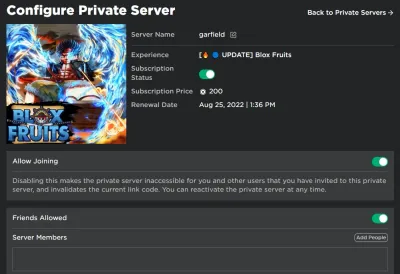
Create or join a server
- On the Blox Fruits experience page in Roblox, open Servers and find Private Servers.
- To create one, choose Create Private Server, name it and review the subscription and final price before confirming. An eligible Roblox Plus account can have a different entitlement from the normal Robux subscription.
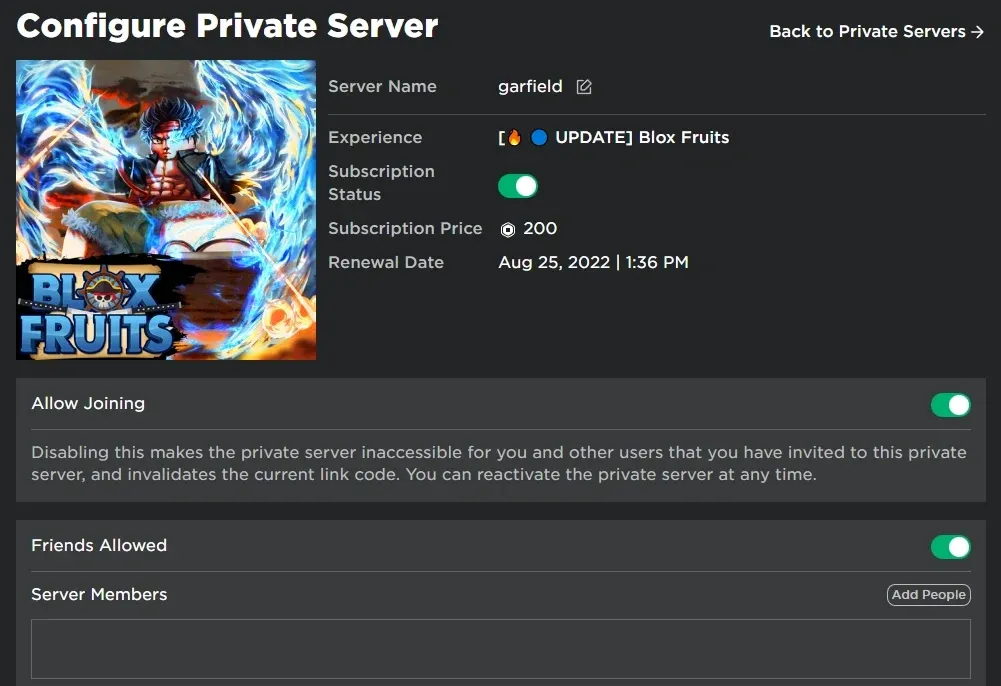
- Open the server’s three-dot menu → Configure. Set who can join, allow friends or add permitted users, and generate an invite link if needed.
- Join the private server. Other players must satisfy both your access settings and their Roblox account/privacy restrictions.
- Check its renewal date and subscription status in Roblox. Cancel the recurring subscription there if you do not want another paid month.
Use the owner’s in-game VIP menu
- As the owner, open VIP in the upper-left corner after entering the game.
- Use Server Locking to stop new arrivals to your current sea.
- Choose a PvP mode: Passive disables PvP; Friendly allows cross-team PvP without bounty loss, removes the grace period and removes Safe Zones; Default uses ordinary public-server PvP rules.
- Use Kick only for the player you intend to remove. Shutdown starts a 15-second reset countdown for the current sea’s server, not all three seas.
Limits that still apply
Bosses wait for their normal spawn timers after a fresh server starts. Only two natural fruit spawns are documented per private-server start. Player Hunter refuses PvP quests in a private server. Owning a server does not guarantee a rare boss drop or unlimited natural fruits.
Cost
200 Robux per month for the normal private-server subscription. Eligible Roblox Plus subscribers can access paid private servers as part of their subscription. Check your account’s final creation/renewal prompt.
What it does: Creates a server with controlled access and owner VIP settings. Renewal is managed through Roblox; sea-specific VIP actions affect the current sea.
Sources & image credits
Sources and image credits
Checked November 17, 2026 against pinned Blox Fruits Wiki revisions: Private Servers, Roblox Private/VIP Servers FAQ, Roblox private-server documentation.
Actual game NPCs, locations and interfaces by Blox Fruits Wiki contributors: File:PrivateServerExample.png. Images were resized without enlargement and converted to WebP, preserving source content and aspect ratio. Animated NPC sources use a representative original frame. Source metadata, original and output hashes are recorded in the gameplay-systems research manifest.
