

Divine Portal is a cosmetic skin for Portal. Its documented Christmas 2025 earning/shop event has ended. Existing unopened boxes or genuine stored items are different from a currently active event shop.
Cost
The historical box prices were 199 Robux for one, 575 for three, or 1,699 for ten. Divine was a 5% listed outcome per opened box. The box’s documented pity milestone was 75 opened boxes for this skin. These are the original box rules, not a claim that the old shop or its pity counter is running now. Trades have no fixed price.
What it does: Changes Portal’s appearance and its portal effects/sounds, without adding attack or defense stats. A permanent cosmetic unlock is not permanent ownership of the base fruit.
Trade for a genuine existing item
- Reach the Second Sea Café or Third Sea Mansion and sit opposite the other player at a real trading table.
- Inspect the offered item’s full name and form: Divine Portal skin is different from ordinary Portal. Review the complete trade window rather than relying on a chat promise.
- If the other player offers a physical skinned fruit, receive and store it before deciding whether to use it. Check the actual Divine item rather than ordinary Portal; a redeemed account cosmetic is not another tradeable copy.
- Choose Eat/use only when ready to replace the currently equipped fruit with the physical item. The skin becomes an owned cosmetic on use, but eating one physical fruit does not buy the base fruit permanently.
- With the matching fruit equipped, use Menu → Items → Wardrobe → Configurables to inspect/select the owned skin. Check your collection after redemption; do not assume every received item remains available to trade again.

Original box and event route
- During the original event, players could buy the Winter 2025 Fruit Box from the in-game Shop at its listed box price. If you already own an unopened box, inspect that exact Inventory entry and use its redemption/open action.
- The free event alternative used Winter Gacha for 100 Candy per roll, with a two-hour cooldown shared with regular Blox Fruit Gacha. The Premium Box was a random prize, so paying for a gacha roll did not guarantee even one box.
- The historical Winter Gacha was at Jungle in the First Sea, the Café in the Second Sea, and Mansion in the Third Sea. Its old First Sea location is historical; the modern ordinary Gacha has moved to Middle Town.
- Open a genuine box and inspect its result. Each box had its own random result; the historical 5% chance did not make every box award Divine. The separate documented pity milestone was 75 boxes opened under that event’s rules.
- Store the physical result if you want to keep it tradeable, or use it with the fruit-replacement and mutation conditions explained above. An old saved currency balance does not reactivate the expired event.
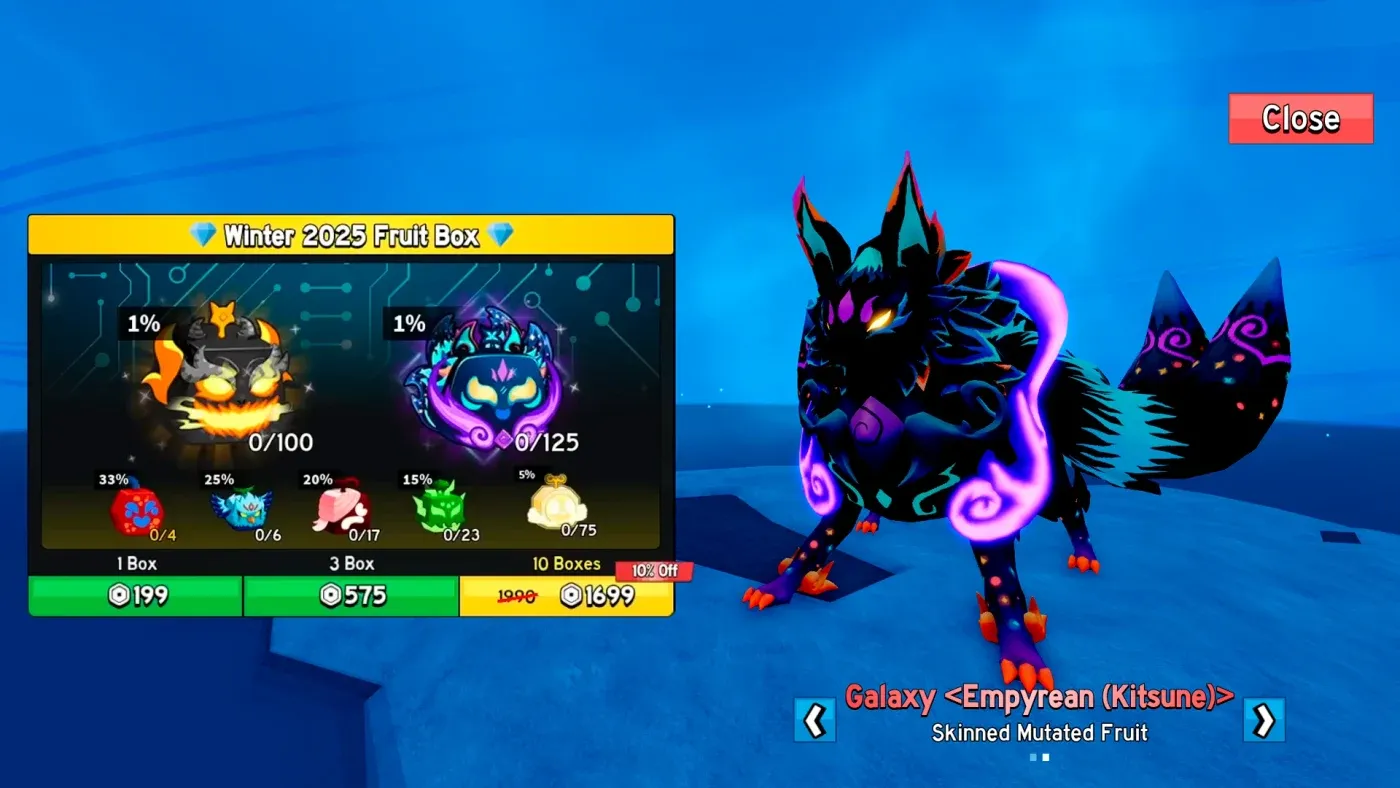
Actual appearance

Sources & image credits
Checked November 17, 2026 against pinned Blox Fruits Wiki revisions: Portal/Skins, Skins, Inventory, Trading, Winter 2025 Fruit Box, Events, Winter Gacha, Summer Gacha.
Actual skin models, in-game appearance references, profile artwork and route images: File:Divine Portal Fruit.png, File:Sitdowntrade.png, File:Winter 2025 Fruit Box.png, File:DivinePortal0.png — their Blox Fruits Wiki file contributors. Images retain original content and aspect ratio, with proportional WebP conversion; no generated gameplay images. Original English prose. Source contributions are available under CC BY-SA, unless a file page states otherwise. Source pins, caveats, original-file metadata and SHA-256 records are kept in the cosmetic research manifest.


