
Torment Pain is a Chromatic cosmetic for Pain. Its original Summer Expansion earning route has ended. This page identifies this exact color, its historical source and what to do with a genuine existing physical copy.
Cost
Original Summer Gacha: 500 Summer Tokens per random roll, with one roll every two hours, sharing the ordinary Blox Fruit Gacha cooldown. The documented event has ended. The later Winter 2025 Fruit Box was sold for 199 Robux for one, 575 for three, or 1,699 for ten; its own Torment Pain result was 20%, with a listed milestone at 17 boxes opened. These are the old box rules, not the Gacha’s chance of this skin or a current shop offer. An existing stored copy can have a player-agreed trade price; there is no fixed trade fee that buys this exact skin.
What it does: Changes Pain’s cosmetic color scheme and related visuals. It adds no attack or defense stats, does not unlock another fruit’s moves, and does not grant permanent ownership of Pain. Using a physical skinned fruit can replace your currently equipped fruit.
Recognize the correct skin
Torment is the red Pain skin. It does not activate a Tormented Boss event or change your race.

A stored physical skin/fruit and an already redeemed account cosmetic are different forms. Inspect the exact item name in Menu → Items → Treasure → Fruits. There is no verified year-round berry recipe or direct Shop purchase for this exact color in the checked route.
Original Summer Gacha route
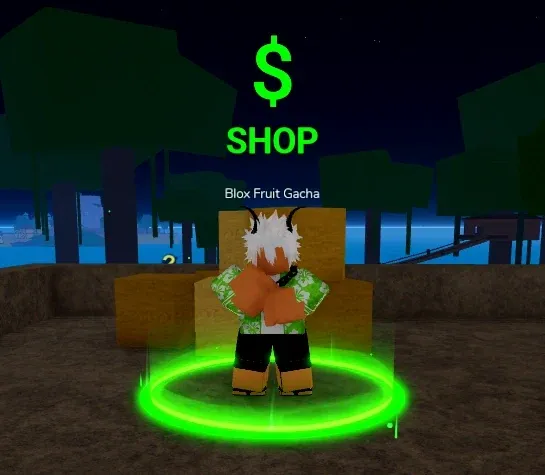
The historical location was Jungle in the First Sea, the Café in the Second Sea, or Mansion on Floating Turtle in the Third Sea. This skin belonged to Update 27.2’s Pain phase; another update’s rotating pool could show different colors. Use the full Summer Gacha guide for that event’s entry and currency route.
- Check that the actual Summer Gacha service and the correct rotating phase are enabled. The historical five skin families were not one simultaneous pool.
- Find the Summer Gacha at the documented island location and inspect its current prize menu. The ordinary modern Gacha is a different service.
- Bring 500 Summer Tokens, wait for the shared two-hour cooldown, and confirm a roll only if this color belongs to that phase.
- Inspect the physical result. A roll could produce another skin or a physical fruit; it was not a direct purchase of this exact color.
- Store the physical prize before dying or leaving. When ready, use the steps below to claim and select its cosmetic. Saved tokens do not reopen the ended event.
Separate Christmas 2025 box route
The Winter 2025 Fruit Box was a later source for Torment Pain. An already owned unopened box is different from a currently active event shop.
- Inspect an existing box’s exact name before opening it; another fruit box has a different pool.
- Redeem/open that owned box and inspect its one result. The listed 20% chance applies inside this box, not to every original Summer Gacha roll.
- The recorded milestone was 17 boxes opened under that box’s rules. The old sale and counter are not promised to be active now.
- Store the physical result, or follow the use steps below when ready to consume it.
Use an existing physical copy
- If receiving one through a trade, use the Café in the Second Sea or Mansion in the Third Sea. Inspect the exact Torment Pain offer in the real trade window. An ordinary Pain fruit or another account’s already redeemed color is not the same stored item.
- Keep the physical reward in Inventory until you intend to use it. Confirm that replacing your current fruit is what you want before choosing its Eat/use action.
- Use the named skinned fruit to claim its cosmetic unlock. This consumes the physical copy; an owned account color does not become another spare fruit to trade.
- With Pain equipped, open Menu → Items → Wardrobe → Configurables and inspect/select the owned Torment skin. Check the result on your character’s Pain effects.
- Keep cosmetic ownership separate from permanent Pain. This event color does not let you switch freely back to the base fruit as a permanent purchase would.
Chances and availability
The original token-roll percentage for this exact color is not confirmed. The separate box listed 20% per opened box and its own 17-box milestone; those values are not multiplied into an invented overall Gacha rate. All documented earning routes here are historical. Existing stored items or unopened boxes may remain; the checked sources do not establish a currently running rerun.
Sources & image credits
Checked November 19, 2026 against pinned revisions: Pain/Skins, Skins, Summer Gacha, Inventory, Trading, Events, Winter 2025 Fruit Box. Dedicated skin-family pages establish the exact color and original event; the event service establishes its token price and timer. Box probabilities and milestones, when present, belong only to that named box. Original English guide wording.
Actual variant icon: File:Torment Fruit.png — Frostfleee. Historical route reference: File:1st sea gacha.png — Blox Fruits Wiki file contributors. Images preserve the complete source composition, aspect ratio and transparency, resized without enlargement and converted to WebP. Source URLs, file revisions, uploader, dimensions and input/output hashes are recorded in the missing-guide research report. No gameplay state or skin color has been generated or recolored.

