
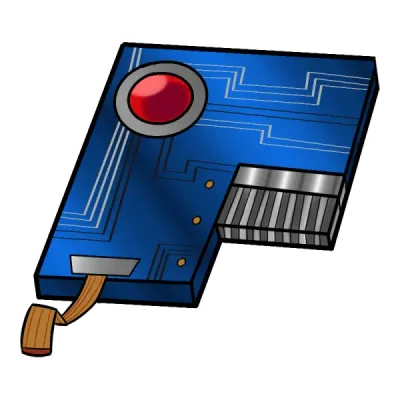
A Basic Microchip hosts a normal fruit-awakening Raid. The chip’s selected theme determines the raid; it does not start Order, Dough or Phoenix.
Requirements
- Level 1,100+ to purchase/host. Lower-level Second/Third Sea players can join someone else’s raid.
- 100,000 Money, or a physical fruit you are willing to spend. You can carry only one Microchip at a time.
Where to go
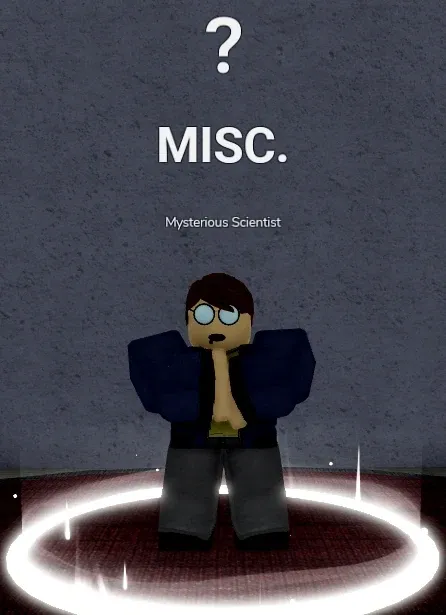
In Hot and Cold’s cold-side laboratory, unequip held gear and set the panels to Red, Blue, Green, Blue (1,3,2,3 taps), then climb the opened passage. In the Third Sea, find Mysterious Scientist at Castle on the Sea, left of Set Home Point.
Steps
- Find Mysterious Scientist and select Normal, then choose your raid theme.
- Available basic themes are Flame, Ice, Sand, Dark, Light, Magma, Quake, Buddha and Spider. Choose the one you actually need.
- Pay 100,000 Money, or exchange an unstored physical fruit. Money purchases have a two-hour cooldown; the fruit-exchange route does not.
- Prepare your group in the light-blue tubes at Hot and Cold or yellow platforms at Castle on the Sea.
- With the chip in your hotbar but unequipped, press the green raid-start button. The chip is spent on hosting; complete the island fight for rewards.
Cost
100,000 Money per chip, with a two-hour purchase cooldown, or one physical fruit without that cooldown. The chip is lost on use, death or leaving.
What it does: It lets your group enter the chosen normal Raid for Fragments and that fruit’s awakening route. Completing the raid and paying the relevant awakening cost are separate from buying the chip.
Sources & image credits
Research snapshots retrieved November 13, 2026. Microchip, Mysterious Scientist, Raids.
Actual Blox Fruits item icons, in-game views and/or location screenshots from Blox Fruits Wiki: File:Microchip.png, File:Mysterious Scientist.png. Images credited to their Wiki file contributors. Wiki text is available under CC BY-SA, unless a file page states otherwise. The guide prose is newly written.

